 Claude
43c66ea860
Claude
43c66ea860
dall-e-2/dall-e-3 retired May 12 2026 and gpt-image-1 deprecates Oct 23
2026, so move every OpenAI default (config.py, both provider classes,
both compose files, .env.example, the in-app provider-settings dropdown,
README) to gpt-image-2 for both generation and edits. Also fix response
parsing in ai_provider.py's OpenAIProvider, which never sent a model
param and assumed a url response — gpt-image-1/2 only return b64_json.

Separately, .env.example shipped AI_PROVIDER=replicate by default, but
replicate has no driver in remote_provider.py, so following the
documented "cp .env.example .env" setup silently broke every AI call
and defeated the GPU quick-start (an explicit non-empty .env value
overrides docker-compose.gpu.yml's own local_gpu fallback). Default to
local_gpu instead, mark replicate/stability as not-yet-implemented, and
recommend Lykon/dreamshaper-8-inpainting as a hands/face-tuned
HF_MODEL_INPAINT override for 4-6GB cards (Quadro P2200, GTX 1060/1660).

Co-Authored-By: Claude Sonnet 4.6 <noreply@anthropic.com>
Claude-Session: https://claude.ai/code/session_01Nb2vJ8W7bHKx1JXVvpCraH
miniPaint
Online image editor lets you create and edit images using HTML5 technologies. No need to buy, download, install, or have outdated flash. No ads. Key features: layers, filters, open source Photoshop alternative.
miniPaint operates directly in the browser. You can create images by pasting from the clipboard (ctrl+v) or uploading from the computer (using menu or drag & drop). Nothing will be sent to any server. Everything stays in your browser.
URL:
https://viliusle.github.io/miniPaint/
Preview:
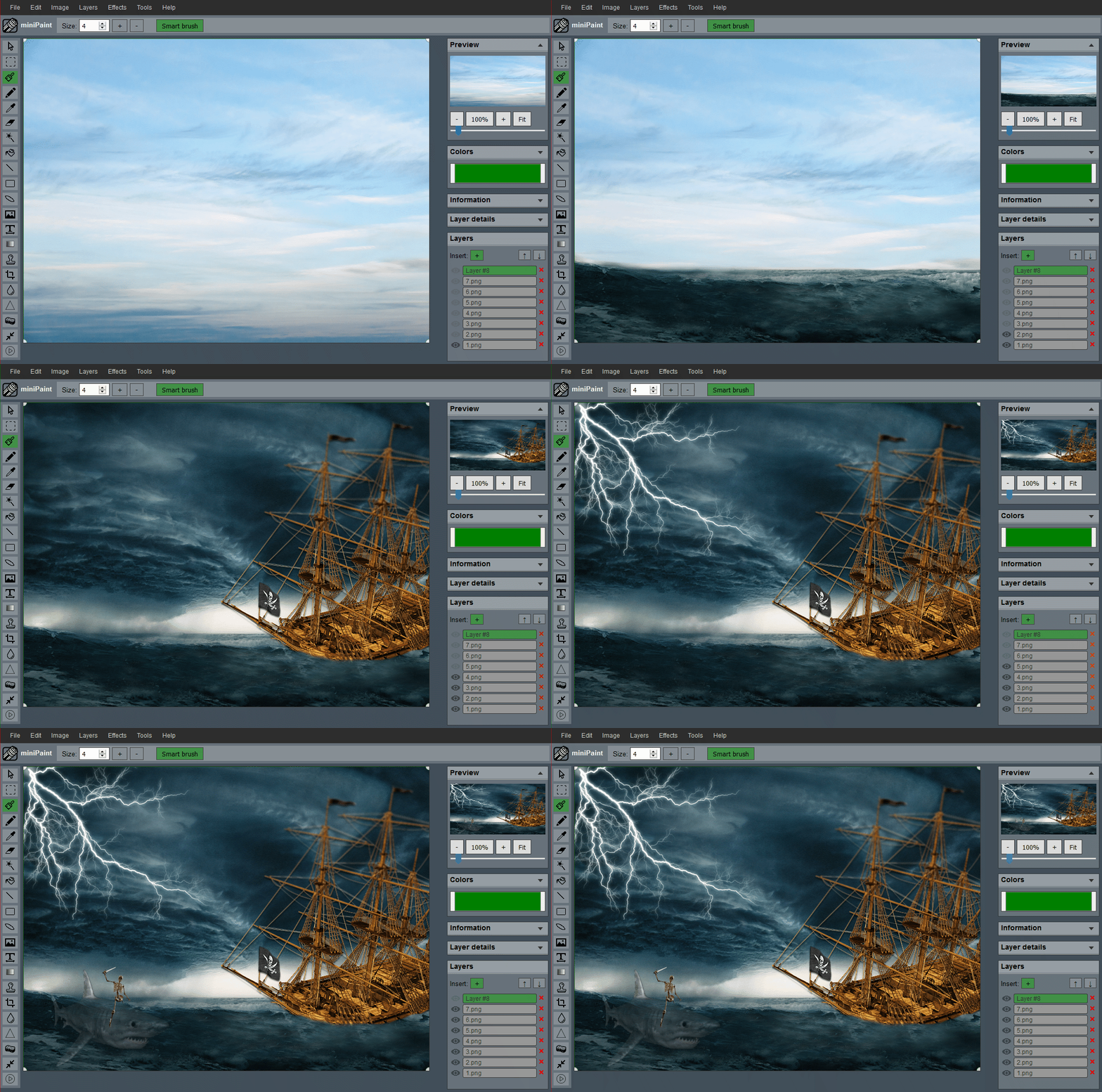 (generated using miniPaint)
Change log: /miniPaint/releases
Browser Support
- Chrome
- Firefox
- Opera
- Edge
- Safari
- Yandex
Features
Files: open images, directories, URLs, data URLs, drag and drop, save (PNG, JPG, BMP, WEBP, animated GIF, TIFF, JSON (layers data), print.
Edit: undo, cut, copy, paste, selection, paste from the clipboard.
Image: information, EXIF, trim, zoom, resize (Hermite resample, default resize), rotate, flip, color corrections (brightness, contrast, hue, saturation, luminance), automatic color adjustment, grid, histogram, negative.
Layers: multi-layer system, differences, merging, flattening, transparency support.
Effects: black and white, blur (box, gaussian, stack, zoom), bulge/pinch, denoise, desaturation, dither, dot screen, edge, emboss, enrich, gamma, grains, grayscale, heatmap, jpg compression, mosaic, oil, sepia, sharpen, solarize, tilt shift, vignette, vibrance, vintage, blueprint, night vision, pencil, also instagram filters: 1977, aden, clarendon, gingham, inkwell, lo-fi, toaster, valencia, x-pro ii.
Tools: pencil, brush, magic wand, eraser, fill, color picker, letter, crop, blur, sharpener, desaturation, clone, borders, sprites, keypoints, color zoom, change color, restore transparency, content fill.
Help: keyboard shortcuts, translation.
Embed
To embed this app on another page, use the following HTML code:
<iframe style="box-sizing:border-box; width:100%; height:100vh;" id="miniPaint" src="https://viliusle.github.io/miniPaint/" allow="accelerometer; autoplay; clipboard-write; encrypted-media; gyroscope; picture-in-picture; web-share" allowfullscreen></iframe>
Build instructions
Wiki
See Wiki
Contributors
License
MIT License
Support
Please use the GitHub issues for support, feature requests and bug reports, or contact us by sending an email to www.viliusl@gmail.com.